
Building Custom MDX Components
Overview
Ready to take your API documentation from good to game-changing? Custom MDX components are your secret weapon! With our new component builder, you can create reusable, interactive elements that make your docs more engaging, consistent, and developer-friendly.
Why Custom Components Will Transform Your Docs
Here's why they're worth getting excited about:
🔄 Create Once, Use Everywhere
Build a component once and use it across all your documentation. Need to make changes? Update it in one place, and the changes propagate everywhere it's used.
🧱 Consistency That Scales
As your API and team grow, maintaining consistent documentation becomes challenging. Custom components ensure that your docs maintain the same look, feel, and behavior—no matter who's writing them.
💪 Advanced Functionality Made Simple
Complex documentation elements like toggleable content, tabbed interfaces, or content cards are notoriously difficult to build with standard Markdown. With custom components, these become reusable patterns that anyone on your team can implement.
🎮 Interactive Developer Experience
Custom components let you create interactive experiences that help developers understand your API faster and more thoroughly.
Getting Started With Custom Components
Enterprise customers are able to create Custom Components at the child project level and at the Enterprise Group level, so they can be used across multiple child projects.
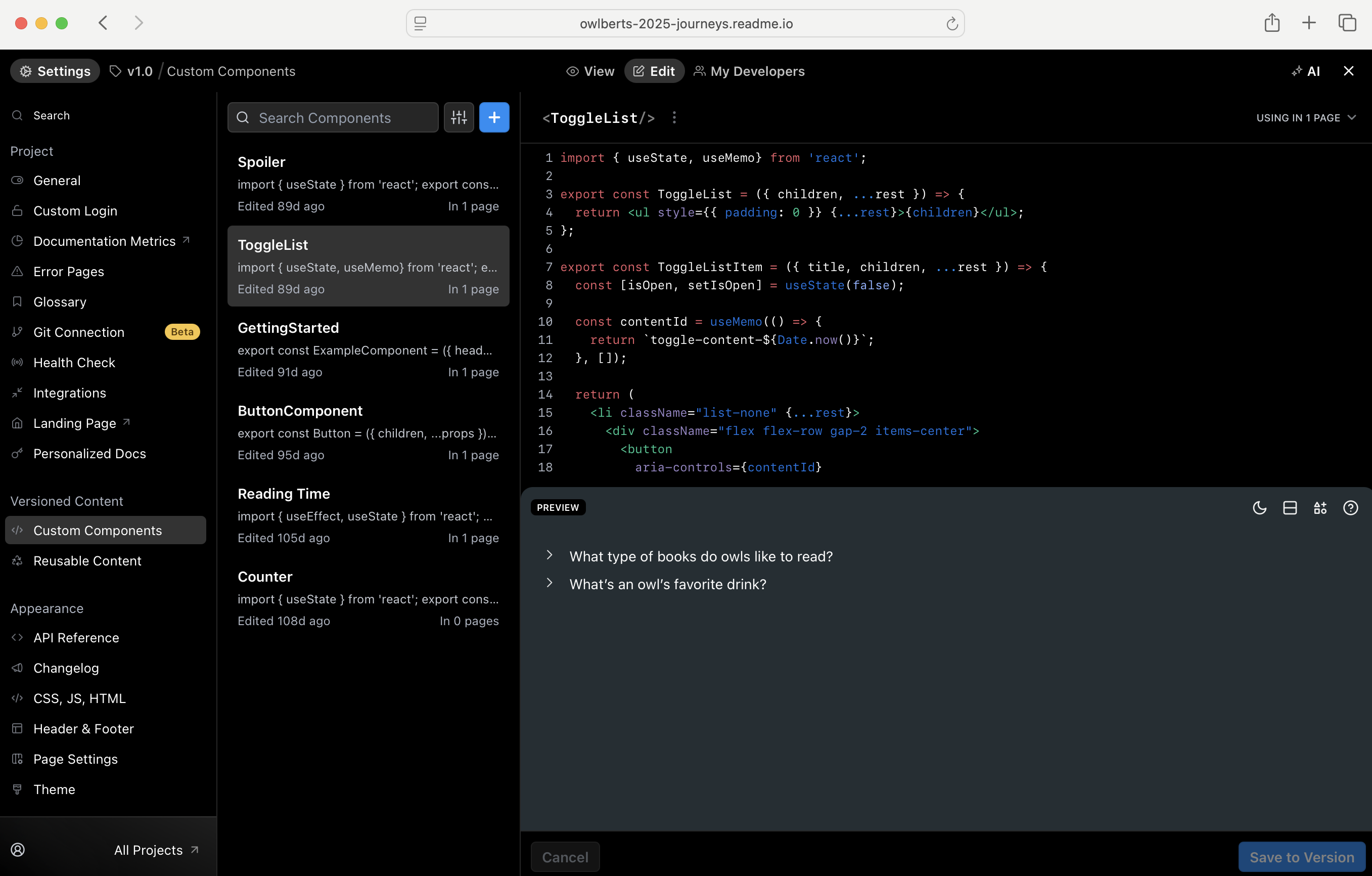
You can access the Custom Components page in your child project via the Settings menu, in the Versioned Content section:
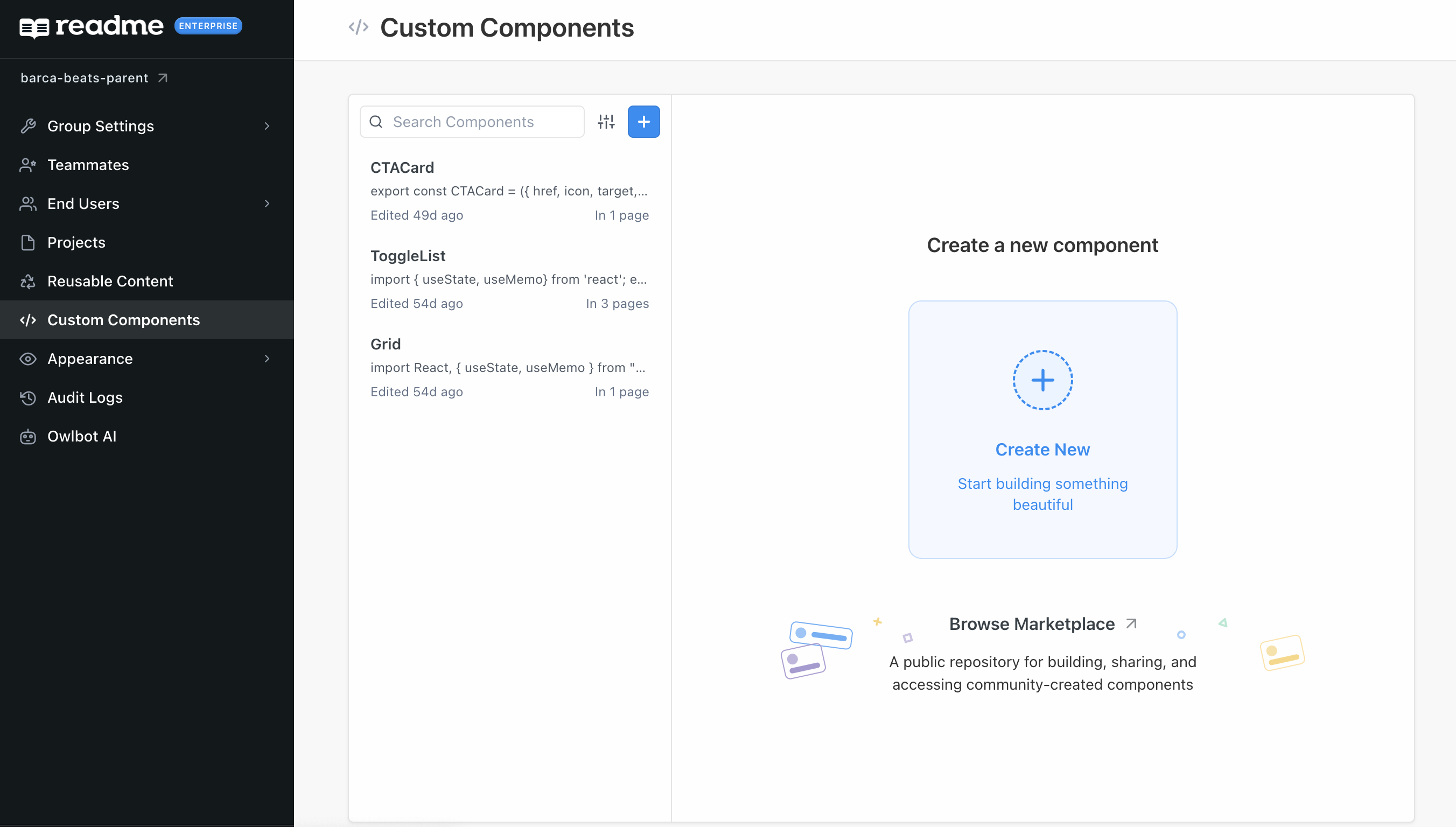
The global Custom Components page can be found in the sidebar of your Enterprise Group dashboard:
Building Your First Component
For the most up-to-date information on building a Custom Component, refer to this walkthrough in ReadMe's docs. You can follow the steps to build the same Custom Component in this ReadMe project!
If you want to build a Stepper component from start to finish, you can follow the steps in this blog post and/or follow along in this tutorial:
Browse, Use, and Share Components from Our Community!
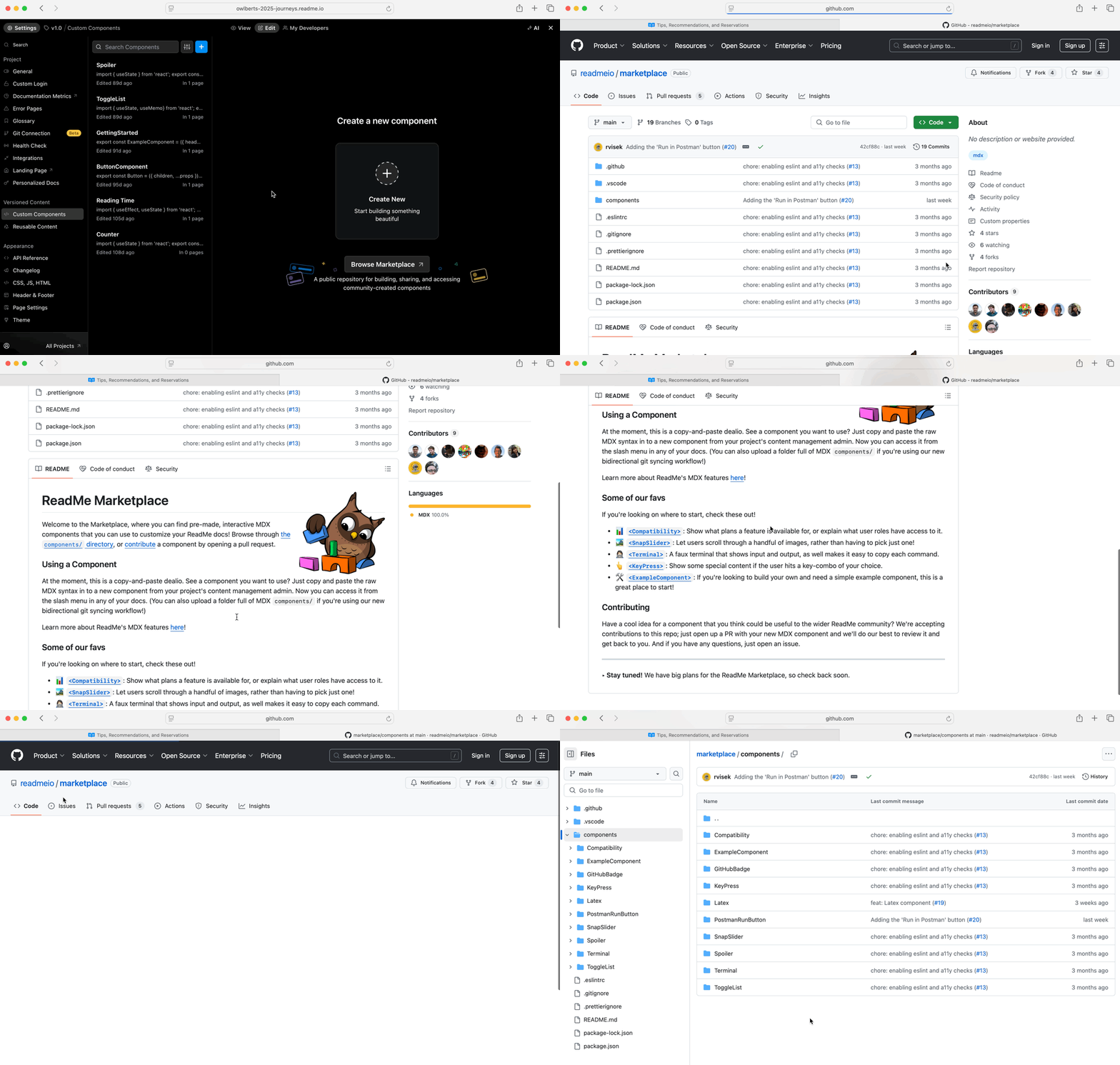
Our ReadMe Marketplace on GitHub is where you can find a selection of community-built components, including many made by our team, that are ready to drop into your project, no coding required. Plus, you can build your own reusable custom components and submit them to the marketplace for other ReadMe users to explore.
Updated about 1 year ago