
This API Reference is entirely yours to play around with—exploring different ways to upload, sync, and edit your API definitions. Feel free to try out the methodologies you're currently using in your Enterprise Group, or give them all a try!
File and URL Upload
If you choose to upload your API definition via file or URL, that is now done via the Editing UI as well. The API definitions page is the first page of the API Reference sidebar, in Edit mode. Just as before, once you sync your API definition, API endpoint pages should automatically populate and you can quickly jump over to View mode to see how they’ll render for your developers.
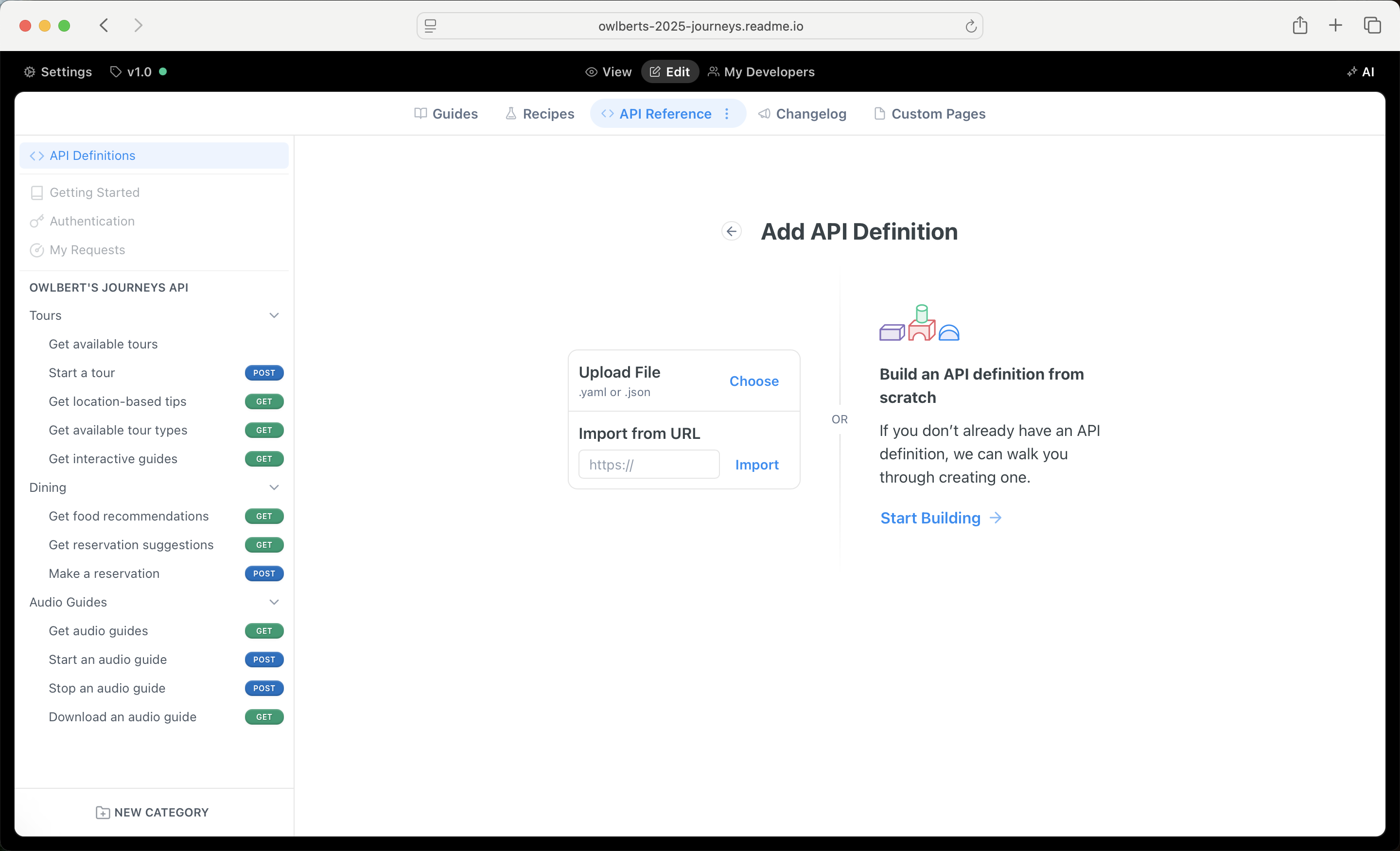
The API Designer, the Refreshed Manual Editor
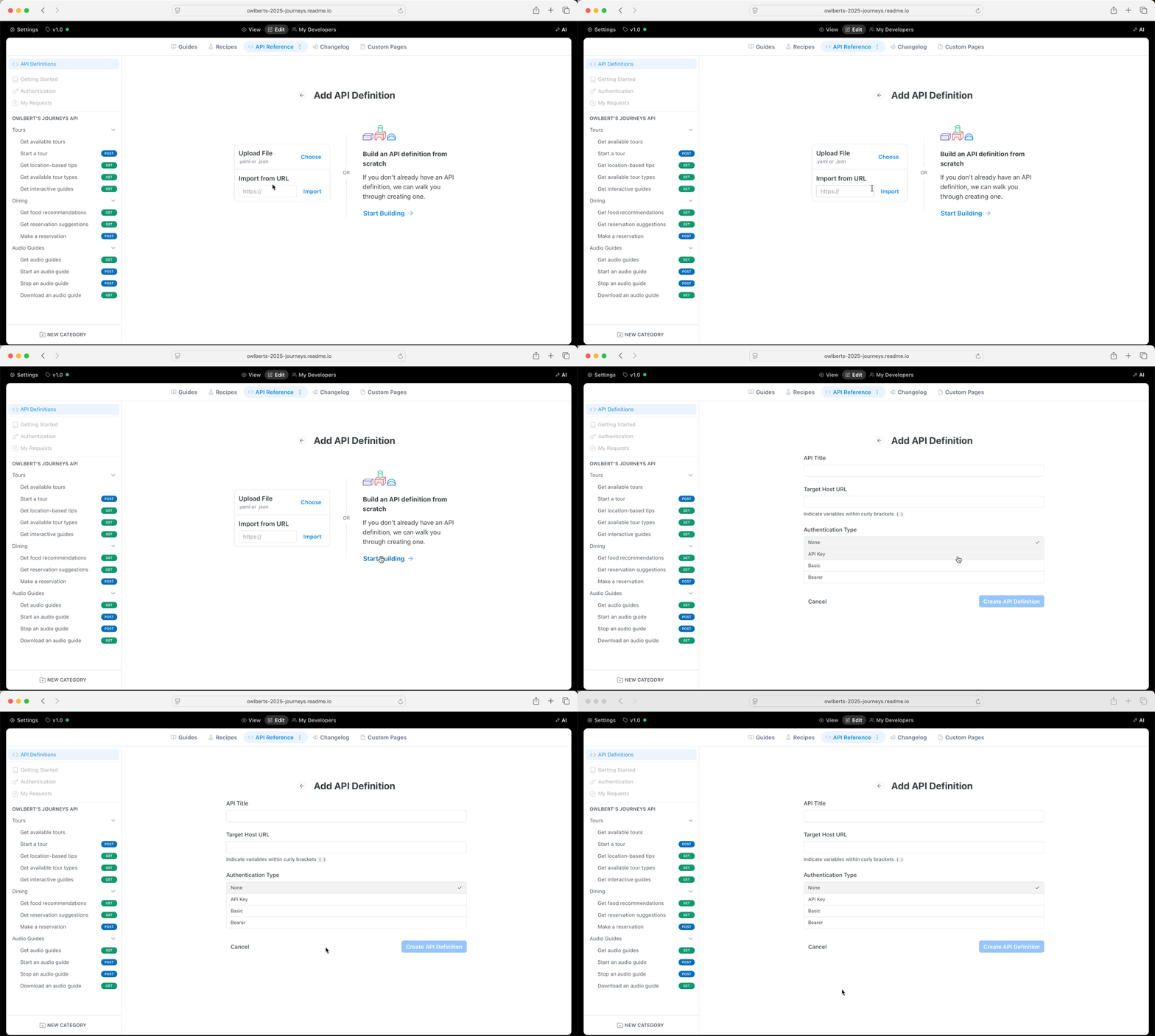
If you're currently used the Manual Editor to document your API, you can do everything you were able to do with the Manual Editor and more with our new API Designer. To begin, click the Start Building button from the API Definitions page. You can edit your API definition in ReadMe's Editing UI or via Bi-Directional Sync! For more information on using the API Designer, you can head to this page in ReadMe's docs.
CLI, rdme, GitHub Actions ➡️ Bi-Directional Sync
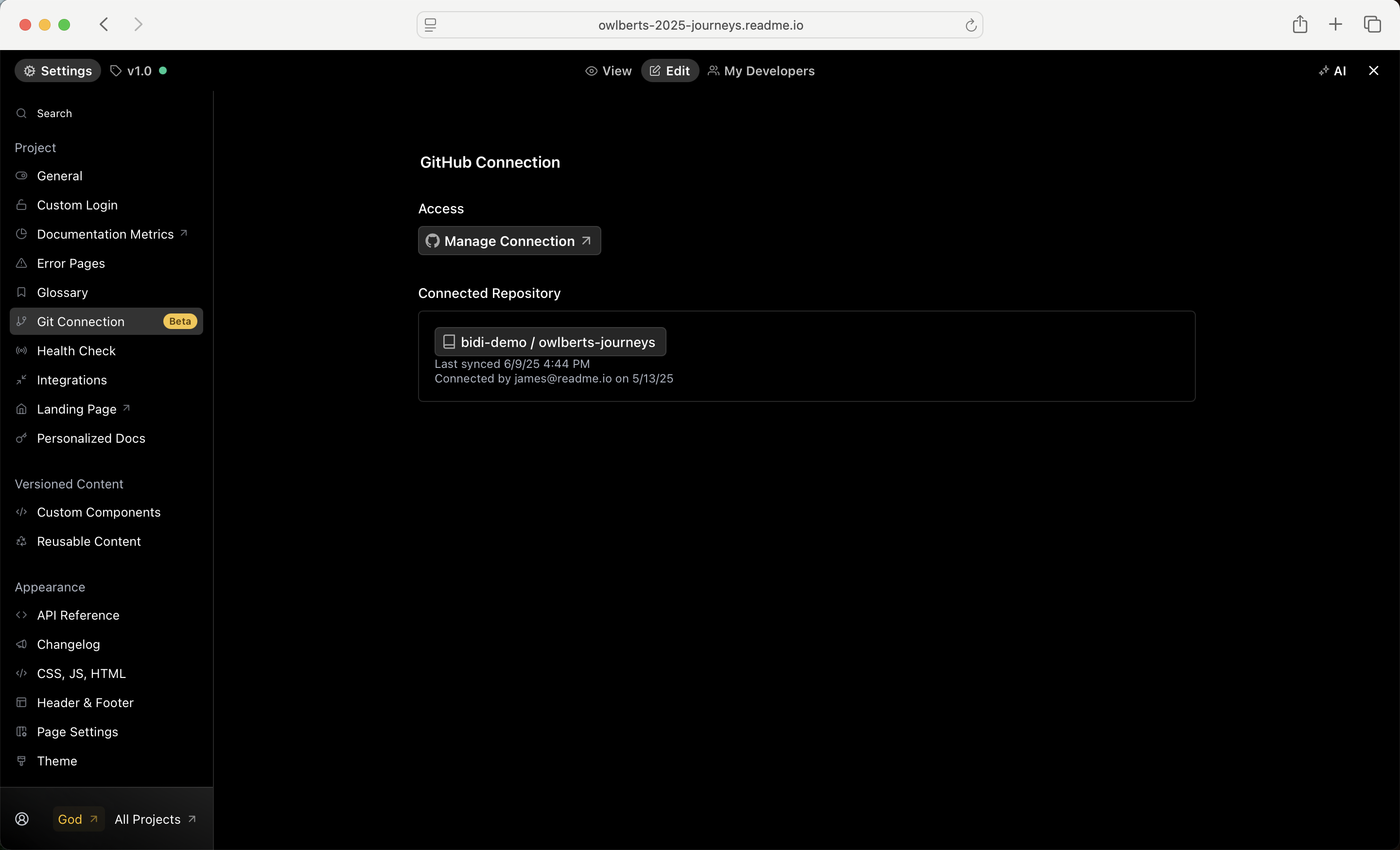
A bi-directional syncing workflow with ReadMe Refactored mostly eliminates the need for a tool like rdme. For syncing Markdown files, syncing API definitions, and managing project hierarchy (e.g., project versions and categories) with ReadMe Refactored, you'll want to set up bi-directional syncing.
To connect with Bi-Directional Sync, head to the Settings of your Editing UI, and navigate to the Git Connection page.
rdme@10 is recommended for the following use cases:
- Syncing your API definition (generated via a build process and not tracked via Git) to your ReadMe Refactored-enabled project
- Syncing Markdown files to the Changelog for your ReadMe Refactored-enabled project
Want to continue using rdme?
If your Enterprise project(s) is currently using rdme, and Bi-Directional Sync does not fulfill the use case, you'll need to upgrade to
rdme@10(fromrdme@9). You can find instructions on how to do that here: https://docs.readme.com/main/docs/upgrading-to-rdme10#/
Using ReadMe's API
ReadMe Refactored includes access to api v2—and upgrade from api v1. ReadMe API v2 is the best way to programmatically access your ReadMe data once you have migrated to Refactored. You'll have access to the very same API that ReadMe’s developers use to build ReadMe.
ReadMe's API v2 is currently in beta.
This API and its docs are a work in progress. While we don’t expect any major breaking changes, you may encounter occasional issues as we work toward a stable release. Make sure to check out our API migration guide, and feel free to reach out if you have any questions or feedback!